These latest product updates for Intellistack Streamline focus on giving admins more control over how long documents are stored, connecting the Google and Microsoft tools your team already relies on, and giving builders and teams more confidence and visibility at every step. Whether you're managing document retention, pulling requests through the Google or Microsoft apps you already use, saving safe checkpoints before you publish, moving pre-validated documents straight to signers, or keeping shared tasks moving, these features help you build repeatable workflows with less manual work.
Reminder: subscribe to receive release notes as soon as they are published. Simply click on "Follow" in the new release notes section of the Formstack Help Center and Intellistack Streamline Help Center.
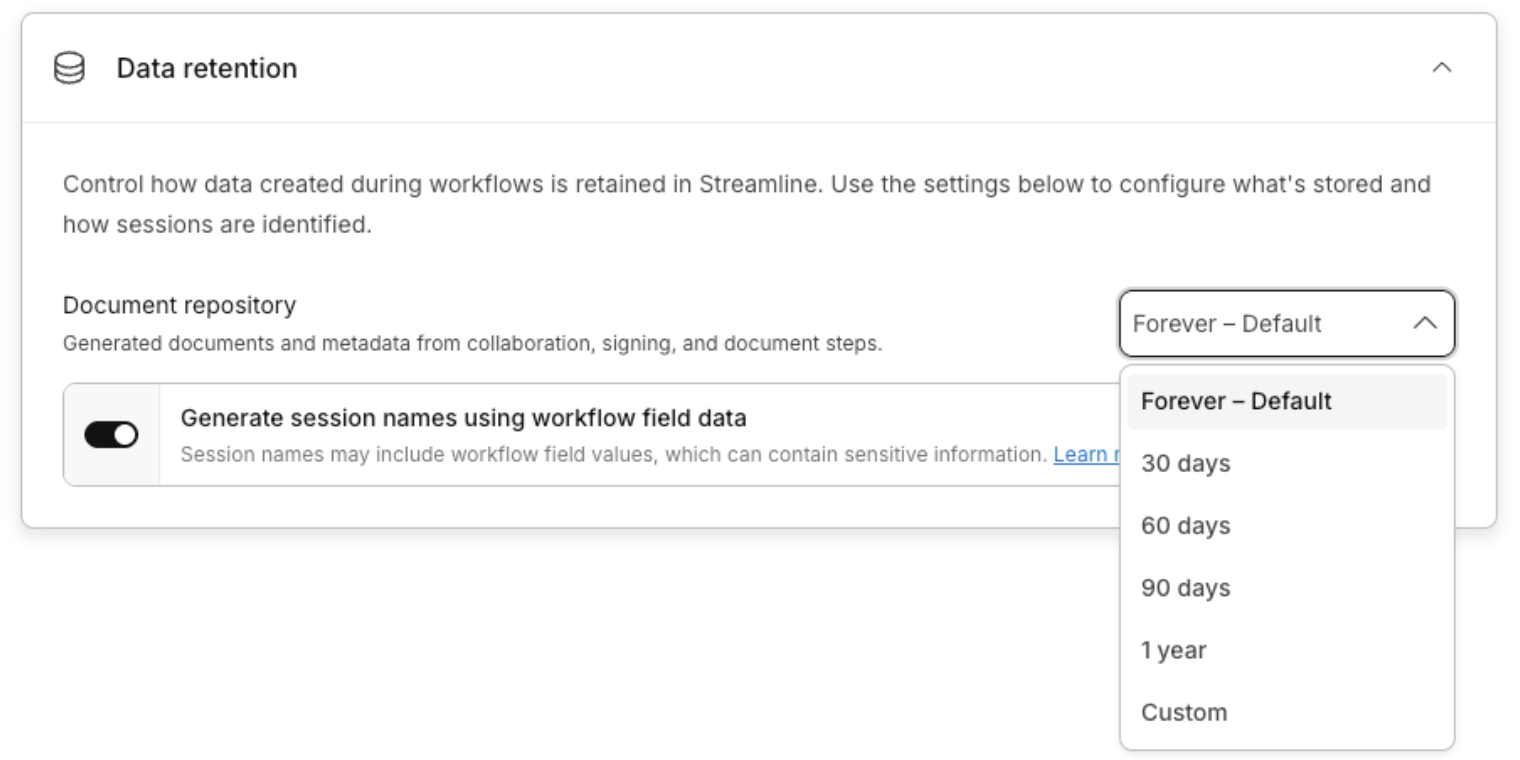
Govern how long documents stay in your repository
Intellistack Streamline's Document Repository now supports configurable data retention. Admins can set an org-wide retention period, so documents are automatically purged when that period ends. Legal, procurement, and IT teams get a documented, enforceable retention policy instead of indefinite storage, and every stored document shows a clear expiration date so nothing is deleted by surprise.
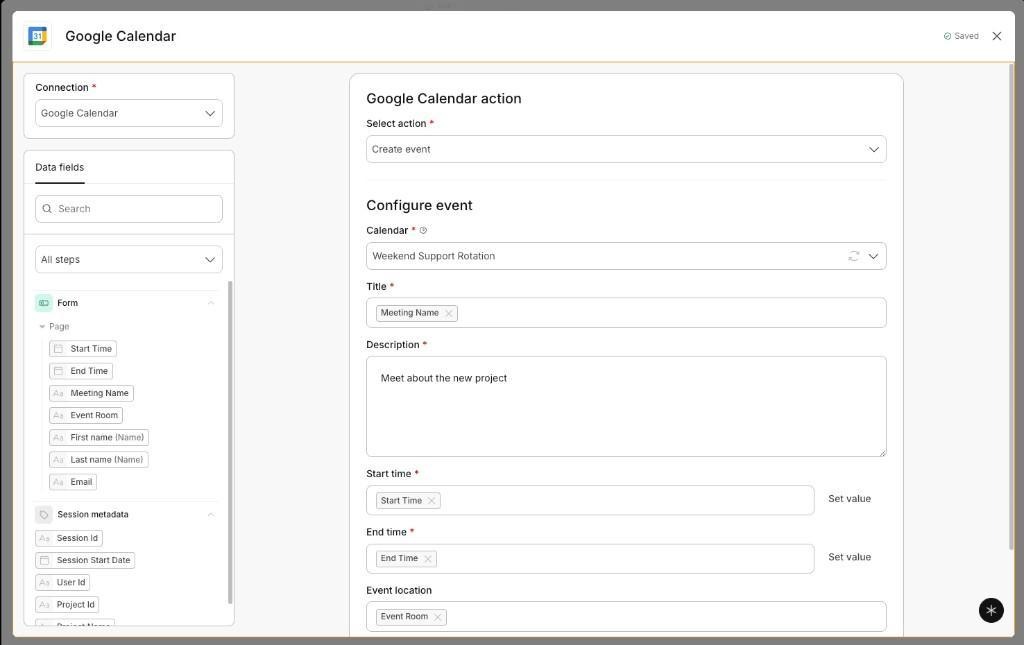
Connect to the Google apps your team already runs on
Streamline's integration library now includes Google BigQuery, Drive, Sheets, and Calendar, so teams can chain the Google tools they already rely on into one automated workflow. A request can pull existing context from BigQuery, file its supporting document in the right Drive folder, add itself to a Sheets tracker, and schedule a follow-up in Calendar, all without anyone moving information between systems by hand.
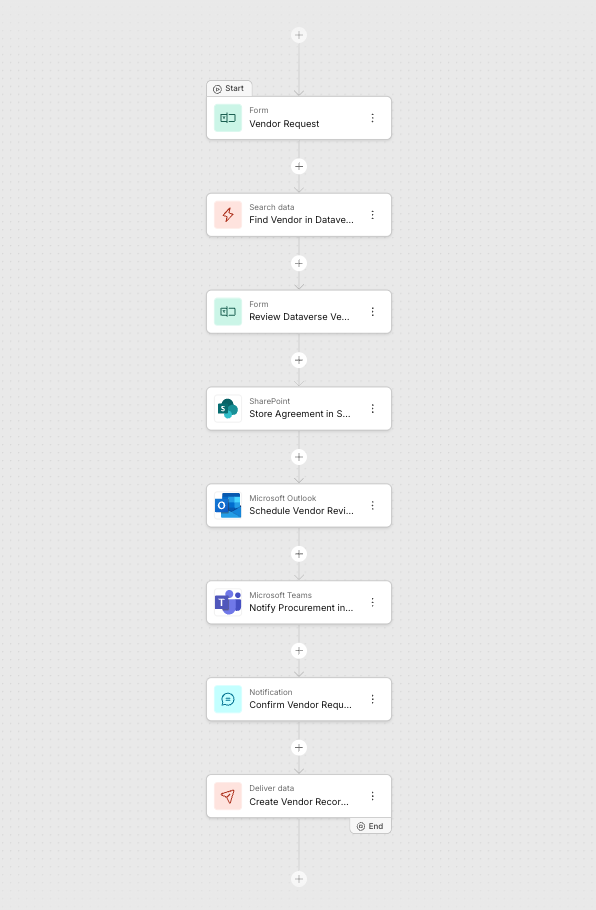
Bring your Microsoft workflow together in Streamline
Streamline's integration library also now includes Microsoft Dataverse, SharePoint, OneDrive, Outlook, and Teams, so teams can connect the Microsoft tools they already use into one workflow. A request can pull or update a vendor record in Dataverse, file an agreement in SharePoint or OneDrive, schedule a review in Outlook, notify the team in Teams, and log the outcome in Excel Online, all without anyone re-entering the same information twice.
Save drafts and compare versions before you publish
With Saved Drafts, workflow builders can save any version of a workflow as a checkpoint to return to later, and a side-by-side comparison shows exactly what changed before anything goes live. Builders can try bolder changes, knowing a trusted version is always one click away.
Skip Draft Status on Collaboration steps
Collaboration steps can now start at Version 1 instead of Draft, so pre-validated documents go straight to the external party without an owner click-through every session. Internal collaborators stay on the session without becoming the active party at the start, and the owner is still notified once the session begins. High-volume deal rooms can open many parallel buyer sessions at once, without clearing Draft status on each one individually.
Clearer ownership for shared tasks in the Workspace
Inside the Workspace, group members can preview shared tasks before claiming them, take ownership when they're ready, and keep claimed work visible so teammates always know who's responsible. Reassignment, resend, and group assignment options are available for every assignment type, along with bulk actions for resending or reassigning multiple tasks at once. Claim-based filters make it easy for teams to keep work moving when priorities or availability shift.
August 2026 Release Notes
Continue exploring this month's updates for Formstack products and Intellistack Streamline by reading the full release notes below. You can also view full release notes from previous months in the release notes section of the Formstack Help Center and Intellistack Streamline Help Center.
- Saved Drafts — Workflow builders experiment with confidence, saving any version of their work as a safe checkpoint they can return to whenever they want. A clear side-by-side comparison shows what changed before anything goes live, so every update ships exactly as intended. Builders move fast and try bold changes knowing a trusted version is always one click away.
- Skip Draft Status — Workflow builders can configure a Collaboration step to start at Version 1 instead of Draft, so pre-validated documents go to the external party without an owner click-through on every session. Internal collaborators stay on the session but are not the active party at start. High-volume deal rooms can open many parallel buyer sessions without clearing Draft on each one. Top capabilities:
- Configure a Collaboration step to skip the internal Draft stage and start at Version 1
- Keep owner-party internals on the session without making them the active party at start
- Notify the owner that the document was sent to the external party when the session starts without a Draft submit
- Preserve today's Draft-first behavior when the setting is off
- Workspace Task Management — Within the Workspace, group members can now preview shared tasks without claiming them, take ownership when ready, and keep claimed work visible so teammates know who is responsible. Reassignment, resend, and group assignment options are available for all assignment types, with bulk actions for resending and reassigning tasks. These controls and claim-based filters help teams keep work moving when priorities or availability change.